
Modernising Legacy Data: Migrating from SQL Server to Microsoft Fabric in 90 Days

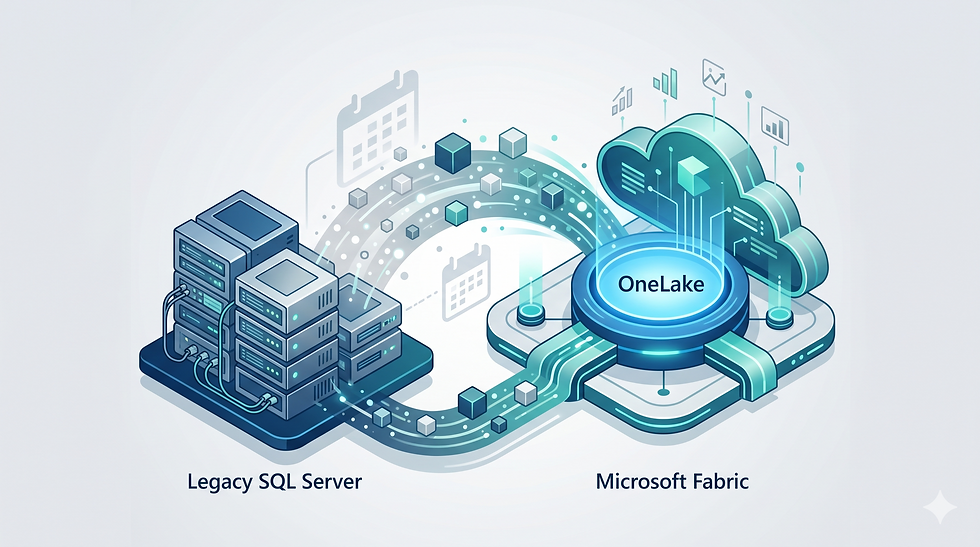
The modern business landscape moves rapidly, and the data infrastructure supporting it must be equally agile. For years, Australian mid-market enterprises have relied on the sturdy, dependable architecture of on-premise SQL Server databases. These systems have historically served as the lifeblood of operational workflows, transactional processing, and business reporting. However, the data demands of today - requiring real-time analytics, machine learning integration, and massive scalability - have fundamentally outgrown the traditional server rack.
Organisations are increasingly discovering that their legacy systems are no longer just expensive to maintain; they actively restrict growth and competitive advantage. The good news is that modernising your data architecture does not require a multi-year, resource-draining program. With a focused strategy and the right technology, transitioning from an aging SQL Server setup to a cutting-edge cloud environment is entirely achievable within a single fiscal quarter.
This guide explores why staying on-premise is a liability, how Microsoft Fabric dramatically simplifies the data modernisation process, and exactly how you can execute a seamless, zero-downtime migration in just 90 days.
The End of the "Server Room" Era
There was a time when housing your data on physical servers down the hall was the pinnacle of enterprise security and control. Today, that physical infrastructure is rapidly becoming a security and performance bottleneck for Australian mid-market enterprises. The hidden costs and operational risks of maintaining an on-premise SQL Server environment are compounding daily.
To understand the urgency of this transition, business leaders must recognise the critical limitations of legacy infrastructure:
Security Vulnerabilities and Patching Overhead: Legacy SQL Servers require constant, manual vigilance. IT teams must continually monitor for threats, apply security patches, and manage complex firewall rules. If a server reaches end-of-life support, your organisation is left exposed to sophisticated cyber threats and ransomware attacks. Cloud-native platforms, by contrast, offer automated patching and enterprise-grade, zero-trust security frameworks by default.
Performance Bottlenecks: On-premise servers have hard physical limits. When your business needs to run complex, analytical queries against millions of rows of historical data, a legacy SQL Server will inevitably choke. This results in slow report generation, frustrated users, and delayed decision-making. Scaling up requires purchasing and installing expensive new hardware - a process that takes months.
The Capex to Opex Reality: Maintaining physical hardware is heavily reliant on Capital Expenditure (Capex). You pay upfront for server capacity you might not need for years, just to handle occasional peak loads. Modern data architectures operate on an Operational Expenditure (Opex) model, meaning you only pay for the exact compute and storage resources you consume on any given day.
Data Silos: Legacy systems naturally create fragmented data silos. Finance has one server, Operations has another, and Marketing relies on disparate spreadsheets. Integrating these silos using traditional methods is slow, error-prone, and actively prevents leaders from achieving a holistic view of company performance.
Staying on-premise is no longer a safe default; it is an active decision to accept slower performance, higher risk, and restricted business intelligence capabilities.
The Fabric Shortcut - Bypassing Painful ETL with OneLake
Historically, moving away from on-premise SQL Servers involved a dreaded acronym: ETL (Extract, Transform, Load). In traditional data warehousing, data engineers had to build fragile, complex pipelines to pull data out of the SQL database, transform it into a new format, and load it into a separate data warehouse. These pipelines were notoriously brittle. If a single column changed in the source system, the entire pipeline could break, leaving business leaders with stale or blank dashboards.
Microsoft Fabric fundamentally changes this paradigm by introducing the concept of OneLake. Often described as the "OneDrive for data," OneLake provides a single, unified logical storage system for all your organisation's data, drastically reducing the need for traditional ETL processes.
Here is how the Fabric shortcut accelerates your modernisation program:
Unified Data Hub: Instead of building complex pipelines to move data from point A to point B to point C, Fabric allows you to land your data once in OneLake. All analytical engines within the Fabric ecosystem - whether for data engineering, data science, or reporting - point to this exact same copy of the data.
Elimination of Data Duplication: Traditional ETL inherently requires duplicating data at every step of the transformation process, leading to massive storage costs and version control nightmares. Fabric's architecture reads directly from OneLake using open data formats (like Delta Parquet), ensuring a single source of truth without unnecessary replication.
DirectLake Mode: For reporting, Fabric introduces a revolutionary feature called DirectLake. Instead of importing large datasets into a reporting tool or running slow direct queries against a legacy database, reporting tools can read the Delta Parquet files in OneLake directly and instantly. This delivers blazing-fast performance on massive datasets without the traditional overhead.
By utilising OneLake, mid-market businesses can bypass the traditional friction of data integration, accelerating the timeline from raw data extraction to actionable business insights.
Your 90-Day Phased Migration Strategy
Migrating an enterprise SQL database might sound daunting, but breaking the program down into a disciplined, 90-day phased strategy ensures success while mitigating operational risk. The golden rule of this migration is zero downtime - your daily operations must continue uninterrupted while the new architecture is built in the background.
Here is the blueprint for modernising your data infrastructure in a single quarter:
Phase 1: Assessment and Architecture (Days 1 - 30)
The first month is strictly about discovery and planning. You cannot migrate what you do not understand.
Environment Audit: Conduct a comprehensive audit of the existing SQL Server environment. Identify which tables contain critical business logic, which data is historical versus active, and which legacy tables can be retired entirely.
Target Architecture Design: Map out the new Lakehouse architecture within Microsoft Fabric. This involves setting up the Fabric workspaces, configuring security protocols, and defining the Medallion Architecture (organising data into Bronze for raw data, Silver for cleansed data, and Gold for business-ready data).
Network Configuration: Establish secure, encrypted gateways between your on-premise environment and the Microsoft cloud to ensure data can flow safely during the transition.
Phase 2: Building the Lakehouse and Data Movement (Days 31 - 60)
With the blueprint approved, the second month focuses on the heavy lifting of data movement.
Historical Data Load: Bulk migrate years of historical data from the SQL Server into the Bronze layer of your new Fabric Lakehouse.
Incremental Data Syncing: To ensure zero downtime, implement Change Data Capture (CDC) or scheduled incremental refreshes. This means that as your staff continue to use the legacy SQL database for daily work, every new transaction is automatically mirrored into Fabric in near real-time.
Data Transformation: Build the automated processes within Fabric to clean, filter, and aggregate the raw data, moving it from the Bronze layer through to the Silver and Gold layers, making it ready for analysis.
Phase 3: Validation, Reporting, and Cutover (Days 61 - 90)

The final month is about ensuring total accuracy and delivering the visual value to the business.
Data Parity Testing: Rigorously compare the output of the new Fabric environment against the legacy SQL Server. Every financial figure, inventory count, and performance metric must match perfectly to ensure complete trust in the new system.
Connecting the Visualisation Layer: With the "Gold" data ready and validated, it is time to connect your reporting tools. This is where the true return on investment becomes visible. To ensure your dashboards are as efficient and insightful as your new database, leveraging professional Power BI consulting ensures your new data foundation translates into impactful, automated dashboards that drive immediate business value.
The Final Cutover: Once all systems are validated and user acceptance testing is complete, the legacy SQL Server is switched to read-only mode, and the organisation officially transitions to Microsoft Fabric as its primary analytics engine.
The Specialist Role - Why DIY Plumbing Costs You More
There is a common misconception among mid-market enterprises that moving data to the cloud is as simple as dragging and dropping files. In reality, migrating a complex, relational SQL Server database into a modern Lakehouse architecture requires deep, specialised engineering knowledge. Relying on an internal IT generalist to handle this transition frequently results in costly project blowouts and compromised data.
Hiring a specialist developer to handle the initial "plumbing" of a Fabric migration prevents severe, hidden issues down the line. A specialist understands how to navigate critical migration hurdles, such as:
Schema Drift and Data Casting Errors: Legacy databases often contain messy, unstructured text fields or outdated date formats. If these are not expertly mapped and converted during the migration, it leads to data-integrity errors that break automated reporting downstream.
Partitioning Strategies: To get the high-speed performance Fabric promises, data must be partitioned correctly in OneLake. A DIY approach often ignores optimal file sizing, leading to slow query times that frustrate end-users.
Security Configuration: Setting up row-level and object-level security in a cloud environment is vastly different from managing on-premise permissions. Specialists ensure your sensitive data remains locked down from day one.
To protect your data assets and guarantee the project stays within its 90-day window, engaging dedicated Microsoft Fabric consulting provides the technical assurance needed to architect a robust, error-free foundation. Doing it right the first time is always cheaper than fixing a broken migration months later.
Conclusion
The era of relying on physical, on-premise SQL Servers is drawing to a close. For Australian mid-market organisations, holding onto legacy infrastructure means accepting increased security risks, operational inefficiencies, and sluggish reporting. Microsoft Fabric offers a clear, streamlined path out of the server room, bypassing the brittle ETL pipelines of the past through the power of OneLake.
By committing to a disciplined, 90-day phased migration strategy and partnering with technical specialists to ensure pristine data integrity, your organisation can successfully modernise its infrastructure without business interruption. The result is a secure, scalable, and lightning-fast foundation ready to drive the next decade of your business growth.


