Microsoft Fabric vs Power BI Premium: The Australian CIO’s Guide to Migration

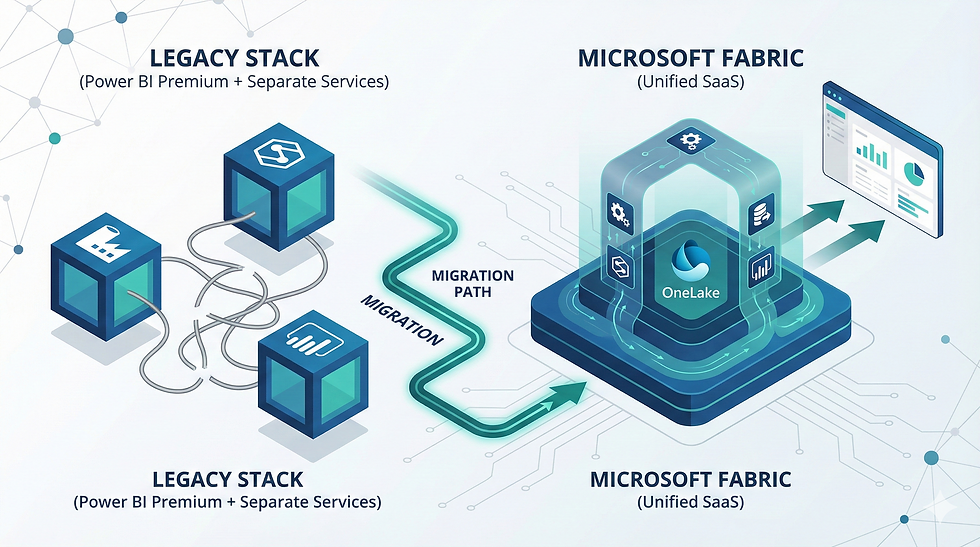
For the better part of a decade, Australian CIOs have been building data stacks based on a familiar, albeit fragmented, architecture. You likely have Azure Data Factory for ingestion, Synapse for warehousing, and Power BI Premium for the semantic layer and visualisation. It worked, but it required significant overhead to stitch together.
Then came Microsoft Fabric.
There is a lot of noise in the market right now, but let’s strip that away. If you are currently running Power BI Premium, you are likely asking two questions: Do I need to move? and What will this cost me in AUD?
This is not just a software update; it is a shift from a PaaS (Platform as a Service) collection to a unified SaaS (Software as a Service) foundation. Here is what that means for your technical debt, your budget, and your data strategy.
The "Unified" Pitch: Reducing Technical Debt
The primary value proposition of Fabric is the consolidation of the data estate. Previously, your team had to manage separate resources for data engineering, data warehousing, and business intelligence. Each of these had its own provisioning, security protocols, and pricing models.
Fabric bundles Data Factory, Synapse (Data Engineering, Data Science, Data Warehousing, Real-Time Analytics), and Power BI into a single SaaS platform.
Why does this matter for the CIO? Reduction of "Integration Tax."
In the old world, a significant portion of your engineering hours were burnt simply moving data from point A (the lake) to point B (the warehouse) and ensuring the permissions carried over. In Fabric, these workloads sit on the same SaaS foundation. There is no infrastructure to provision. You don't manage clusters. You simply allocate capacity.
However, this level of integration requires a strategic approach. It is not as simple as flipping a switch. To ensure you are getting the efficiency gains promised, many organisations benefit from specialised Microsoft Fabric Consulting to architect the tenant correctly from day one. If you treat Fabric exactly like your old Azure SQL environment, you will miss the efficiency gains.
OneLake: Ending the "Multiple Versions of the Truth"
If there is one headache that plagues every Australian enterprise, it is data duplication. Marketing has a copy of the sales data. Finance has a slightly different copy. Operations has a third.
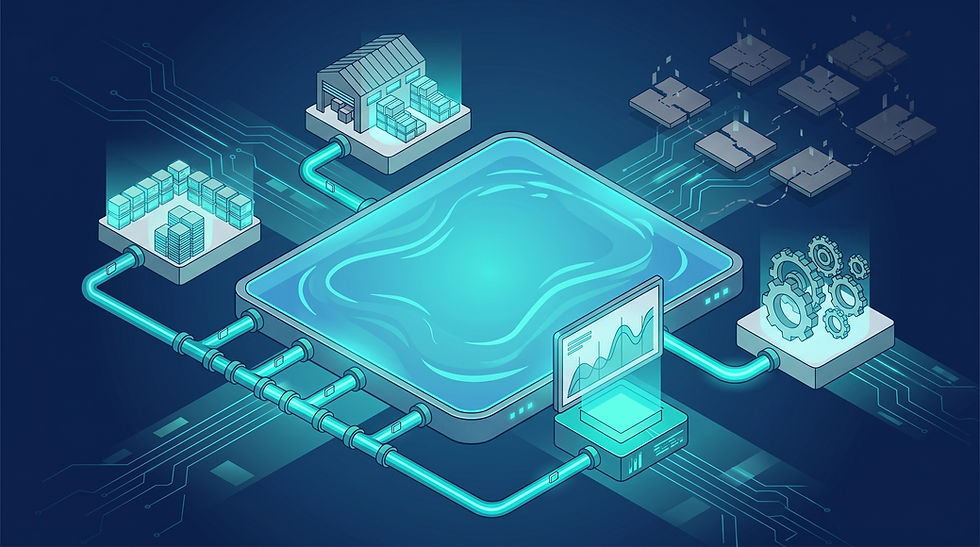
Microsoft Fabric introduces "OneLake," which they describe as "OneDrive for data."
In the Power BI Premium capability model (Gen2), you were largely focused on the semantic model - the end result. The data journey before it hit Power BI was often siloed. OneLake changes the architecture by separating compute from storage.

No Data Movement: With the "Shortcuts" feature, you can virtualise data across domains without moving it. You can reference data in Amazon S3 or Google Cloud Storage without building an ETL pipeline to copy it into Azure.
Single Copy: All compute engines (SQL, Spark, KQL) access the same data format (Delta Parquet) in OneLake. You don't need to export data from the warehouse to import it into Power BI. Power BI uses "Direct Lake" mode to read directly from the source.
For the CIO, this translates to governance. It drastically reduces the risk of data drift and ensures that your reports are hitting the single source of truth, rather than a cached copy from three days ago.
The Cost Reality: F-SKUs vs. P-SKUs
This is where the conversation usually turns to the spreadsheet. How does the licensing compare?
If you are an existing Power BI Premium customer, you are familiar with P-SKUs (e.g., P1, P2). These were strictly for Power BI capacity.
Fabric introduces F-SKUs (Fabric Capacity). The critical difference is that F-SKUs are a universal capacity. That same billing unit powers your data ingestion pipelines, your SQL warehousing queries, and your Power BI reporting.
The AUD Pricing Tier Structure
While Microsoft pricing fluctuates, the structural comparison remains constant.
The Equivalence: Roughly speaking, an F64 capacity is equivalent to a P1 node.
The Entry Point: This is a major win for smaller Australian organisations or departments. Previously, Power BI Premium required a high entry cost (P1). With Fabric, you can start with much smaller capacities (F2, F4, F8) for data engineering tasks. Note: You generally need F64 or higher to enable free viewing for non-licensed users, similar to the old P1 utility.
Pay-As-You-Go vs. Reservation: Unlike the rigid P-SKU contracts, F-SKUs offer an Azure Pay-As-You-Go model. This allows you to spin up high capacity for end-of-month reporting processing and scale it down immediately after. For predictable workloads, you can purchase Reserved Instances (RI) for significant discounts (often around 40% cheaper), aligning closely with traditional budget cycles.
Universal Compute
The danger here is unmanaged consumption. Because the capacity is shared, a poorly written Spark job by a data scientist could theoretically chew up the capacity needed for the CEO’s dashboard. This requires a shift in how you manage internal departmental cross-charging and resource governance.
Migration: Evolution, Not Revolution
Moving to Fabric does not require a "rip and replace" strategy. In fact, we strongly advise against it.
Your existing Power BI datasets works perfectly fine within Fabric. If you are deeply invested in current Premium capacities, our Power BI Consulting team often recommends a phased approach:
Phase 1 - Enablement: Turn on the Fabric trial or provision a small F-SKU alongside your current setup.
Phase 2 - Direct Lake: Pilot a high-volume report using OneLake and Direct Lake mode to prove the performance gains over "Import" mode.
Phase 3 - Consolidation: Begin migrating upstream ETL processes (Data Factory/Synapse) into Fabric pipelines to retire standalone Azure resources.
Strategic Considerations for Australian Leaders
As we look toward FY25 and beyond, the shift to Fabric is inevitable for those in the Microsoft ecosystem. Microsoft has made it clear that Fabric is the destination for all future data analytics innovation. Copilot features, for example, are being rolled out natively into Fabric.
However, the "Buy" decision is easier than the "Build" decision. The challenge for Australian CIOs is not buying the license; it is upskilling the team. Your Power BI developers need to become comfortable with data engineering concepts, and your data engineers need to understand the semantic layer.
The Verdict
Fabric is a superior product to the fragmented stack of the past. It offers:
Simplicity: One portal, one security model.
Performance: Direct Lake mode is a game-changer for large datasets.
Flexibility: The ability to pause and resume capacity helps manage AUD spend during quiet periods.
The question is not if you will migrate, but when.
If your current Power BI Premium contract is coming up for renewal, or if you are struggling with data latency and managing multiple Azure resources, now is the time to evaluate the F-SKU model.
Next Steps
Navigating the licensing complexities and technical architecture of Microsoft Fabric requires a clear roadmap. At Report Simple, we help Australian businesses transition from legacy reporting to automated, modern intelligence.
Would you like a complimentary capacity assessment to see how your current P-SKU usage maps to the new Fabric F-SKUs? Contact us today.